> For the complete documentation index, see [llms.txt](https://docs.emobiq.com/llms.txt). Markdown versions of documentation pages are available by appending `.md` to page URLs; this page is available as [Markdown](https://docs.emobiq.com/emobiq-client/006-actions-and-visual-logic/action-reference/cordova/app/getvar.md).
# getVar
## Description
Returns the value of a global variable.
## Input / Parameter
| Name | Description | Input Type | Default | Options | Required |
| ------- | ---------------------------------- | ----------- | ------- | ------- | -------- |
| var | The name of the variable. | String/Text | - | - | Yes |
| default | The default value of the variable. | String/Text | - | - | No |
## Output
| Description | Output Type |
| ---------------------------------------------------------------------------------------------------- | ----------- |
| Returns the value of the global variable if there is a value, returns the `default` value otherwise. | String/Text |
## Callback
N/A
## Video
## Example
### Steps
1. Drag the `getVar` function into the event flow panel. (\*Note: The `console` function is used here for ease of demostrating the output.)
2. Specify the variable name that you would like to access.

### Result
| Variable exists | Variable does not exist |
| -------------------------------------------------------------------------------------------------------------------------------------------------------------------------------------------------------------------------------------------------------------------------------------------------------------------------------------------------------------------------------------------------------------------------------------------------------------------------------------------------------------------------------------------------------------------------------- | ------------------------------------------------------------------------------------------------------------------------------------------------------------------------------------------------------------------------------------------------------------------------------------------------------------------------------------------------ |
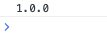
| If the specified global variable has previously been set (see setVar), the function will return the variable's value: ("1.0.0" in this example)
| If the specified global variable does not exist, the function will return the value in default:

|
## Links
* See also [`setVar`](https://github.com/OrangeKloud/emobiq-documentation/blob/master/document/client/006-actions-and-visual-logic/action-reference/cordova/App/getVar/setvar/README.md)