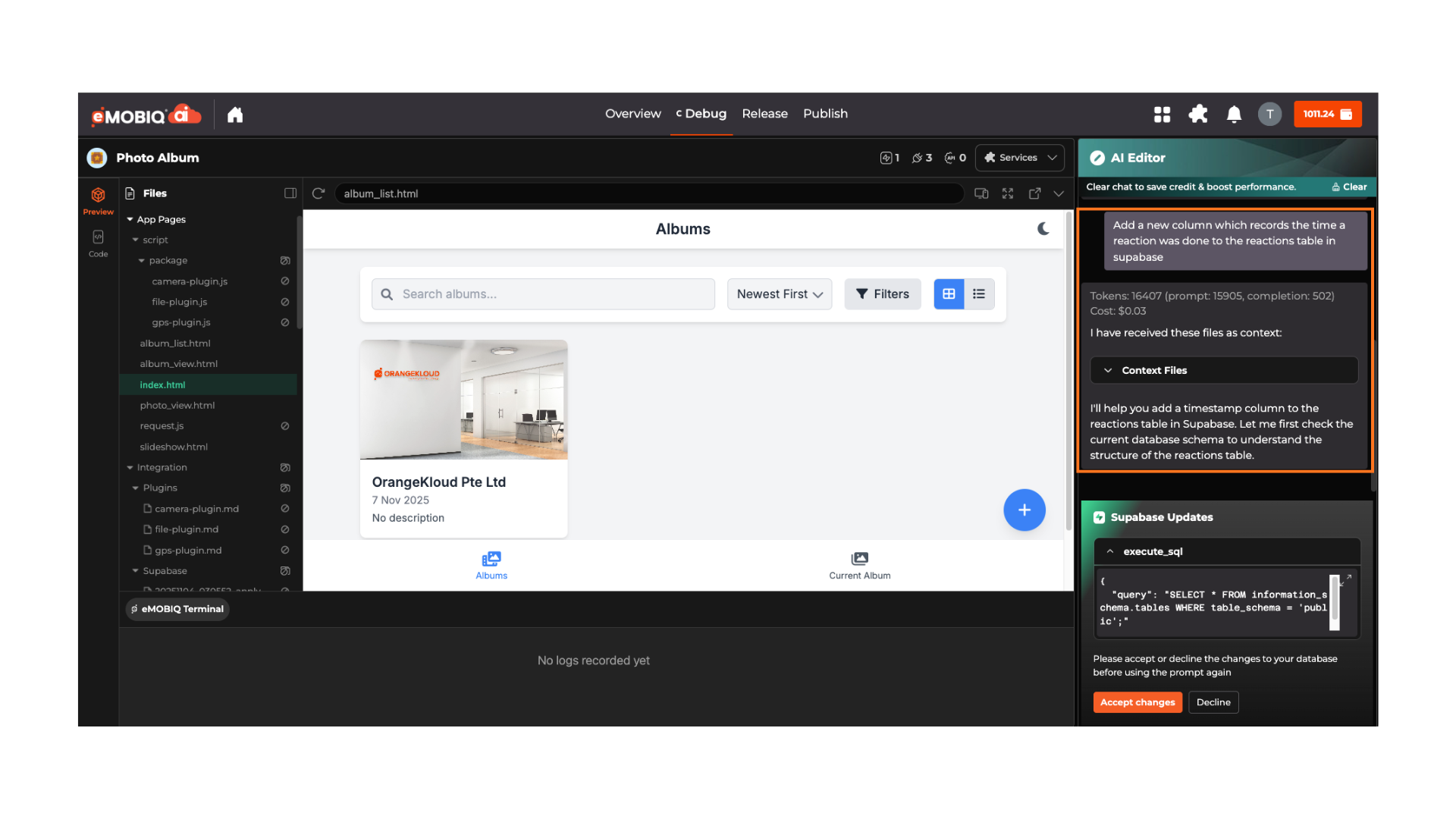
> For the complete documentation index, see [llms.txt](https://docs.emobiq.com/llms.txt). Markdown versions of documentation pages are available by appending `.md` to page URLs; this page is available as [Markdown](https://docs.emobiq.com/emobiq-ai/readme/supabase/editing-your-database.md).
# Editing Your Database
Your database structure isn't set in stone, but changes need to happen in the right places. Here's your complete guide to when, where, and how to modify your Supabase database.
### The Golden Rule
**Database changes can ONLY be made in two places in our platform:**
1. 🔍 **Manual Review Mode** - During schema approval (before tables are created)
2. 🐛 **Debug Agent** - For testing, iteration, and fixing issues
***
### Where You CAN Make Changes
#### Manual Review Mode (Recommended)
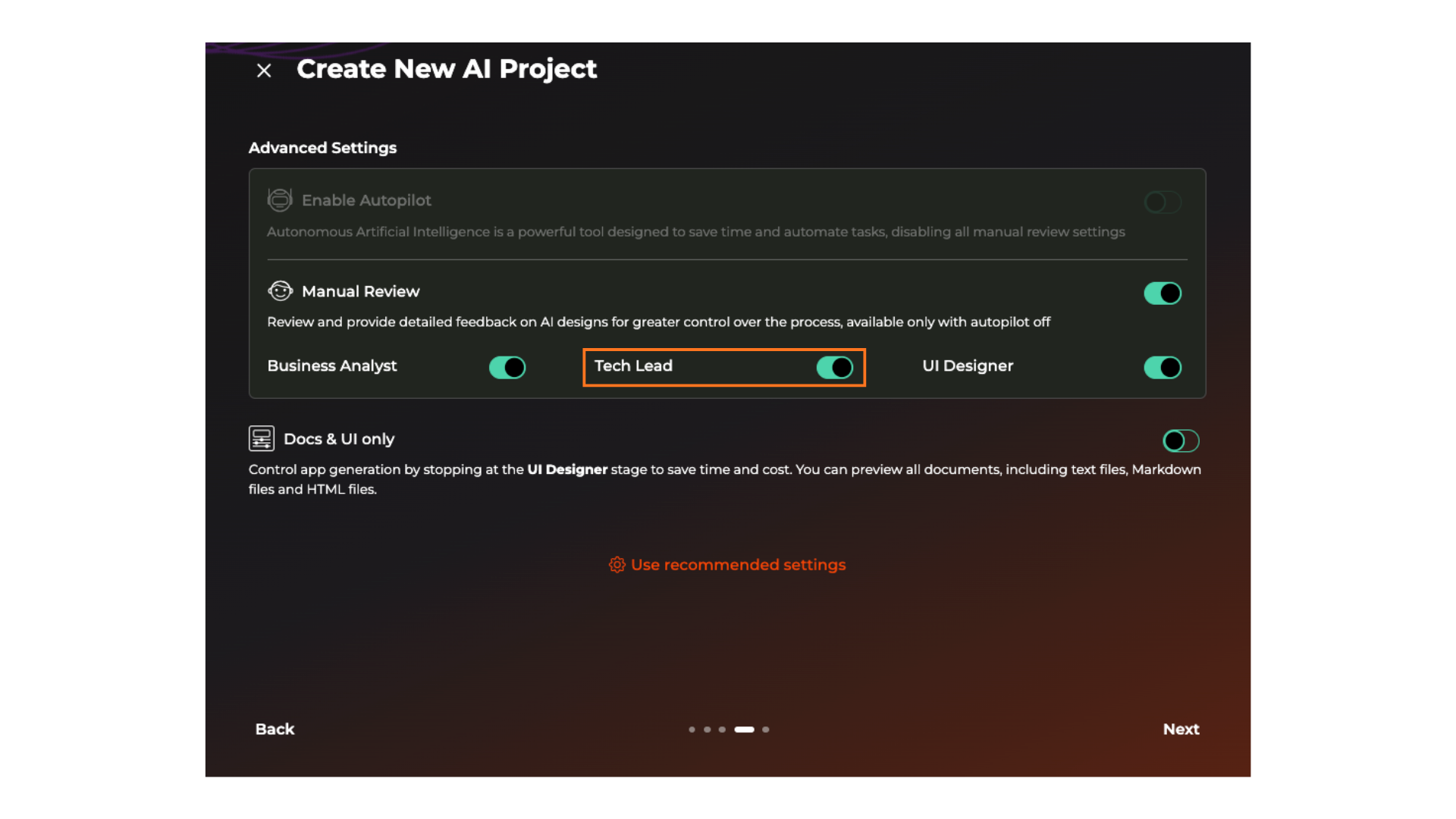
**When:** During the Tech Lead stage, before tables are created
**What you can change:**
* Table names
* Column names and data types
* Add or remove columns
* Modify constraints (NOT NULL, UNIQUE, etc.)
* Change default values
* Update foreign key relationships
* Add indexes
* Set up Row-Level Security policies
**Best for:**
* Initial database design
* Major structural changes
* Adding new features early in development
**How to access:**
{% stepper %}
{% step %}
Enable Manual Review in project settings
{% endstep %}
{% step %}
Wait for Tech Lead stage
{% endstep %}
{% step %}
Review and modify schemas as needed
{% endstep %}
{% step %}
Approve when satisfied
{% endstep %}
{% endstepper %}
```
Example scenario:
You're building a recipe app. eMOBIQ AI proposes a recipes table without a
difficulty_level column. In Manual Review, you add it before approval, avoiding a
migration later.
```
***
#### Debug Agent
**When:** After initial development, during testing and debugging
**What you can change:**
* Add test data
* Modify existing records for testing
* Test new columns or tables
* Execute ad-hoc SQL queries
* Troubleshoot issues
**Best for:**
* Testing new features
* Debugging data issues
* Experimenting with schema changes
* Iterating on database design
***
{% stepper %}
{% step %}
Open your project
{% endstep %}
{% step %}
Click on **Debug Agent** tab
{% endstep %}
{% step %}
Use the prompt to let Debug Agent know your changes
{% endstep %}
{% step %}
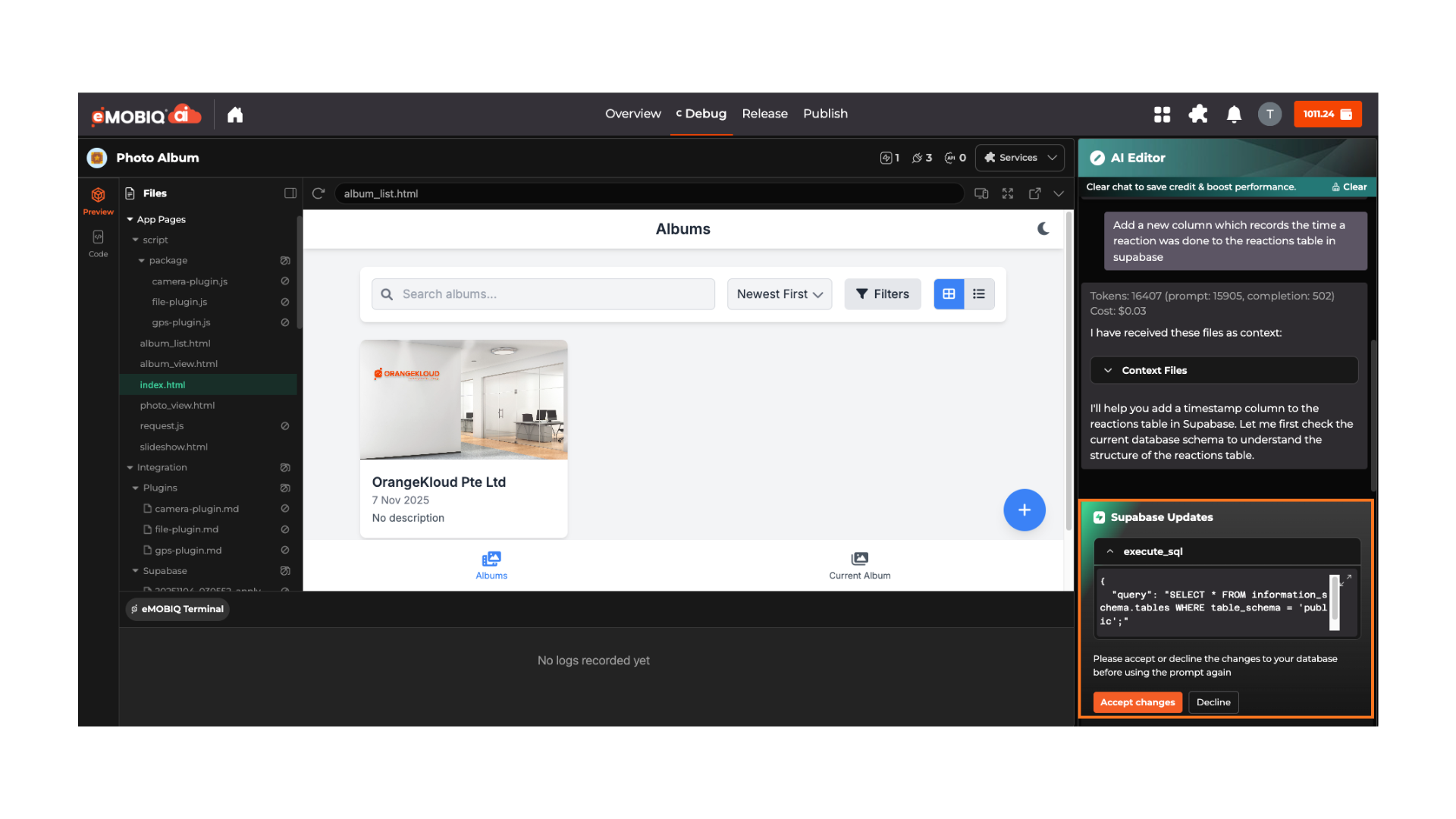
Approve or Reject changes
Verify that this is the change you want before accepting the change
{% endstep %}
{% endstepper %}
***
### Verifying Your Data in Supabase
After making changes or syncing data, you can inspect your tables directly in the Supabase Studio dashboard.
{% hint style="warning" %}
**The Table Editor paginates results at 100 rows per page.** If you're verifying that data was inserted correctly, use the **Next** button at the bottom of the grid to check later pages — new rows are typically appended at the end of the table, not the top.
{% endhint %}
For a full guide on browsing and filtering table data, see the official Supabase documentation:
Supabase Table Editor Docs
.png?alt=media)
%20(1)%20(1).png?alt=media)