> For the complete documentation index, see [llms.txt](https://docs.emobiq.com/llms.txt). Markdown versions of documentation pages are available by appending `.md` to page URLs; this page is available as [Markdown](https://docs.emobiq.com/emobiq-ai/readme/plugins.md).
# Plugins
### Unlock Your App's Full Potential — No Code, No Limits
#### Make Your AI Apps Do More Than You Ever Thought Possible
Imagine telling an AI to build you an app that takes photos, tracks your location, or saves files to your phone and it actually works. That's the power of plugins.
**The Problem:** Without plugins, AI-generated apps are stuck in a sandbox. They can't touch your camera, access your GPS, or interact with device hardware. Your brilliant app idea? Limited to basic screens and buttons.
**The Solution:** Plugins are like giving your AI superpowers. With the click of a button, your app can do everything a professionally-coded app can do on iPhone, Android, and Web.
{% columns fullWidth="false" %}
{% column width="25%" %}
Access Hardware
Camera, GPS, File System, Bluetooth, Microphone, and so much more....
{% endcolumn %}
{% column width="25%" %}
Cross-Platform
Works on iOS, Android, and Web
{% endcolumn %}
{% column %}
AI-Aware
Tell the AI “use the Camera Plugin” — it knows how to call it, or reference to it using the reference button
{% endcolumn %}
{% column %}
No Coding Required
Just click “Add” and reference it for AI to generate the code that works for the different plugins
{% endcolumn %}
{% endcolumns %}
***
#### Using Plugins
Plugins can be accessed in our platform through a variety of ways.
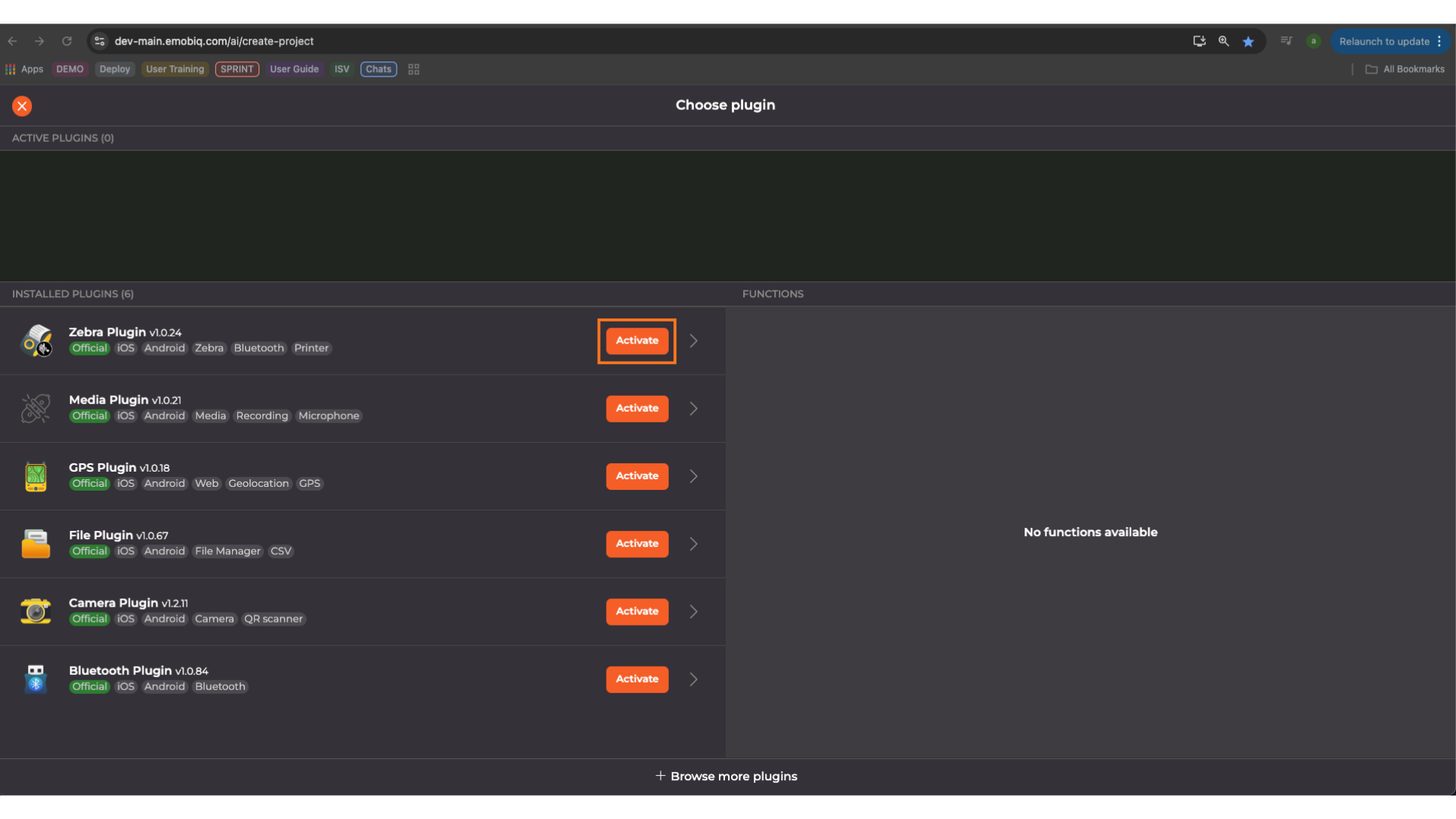
1\) During project creation
Click configure
To use the plugins, simply click activate on the plugin you wish to use
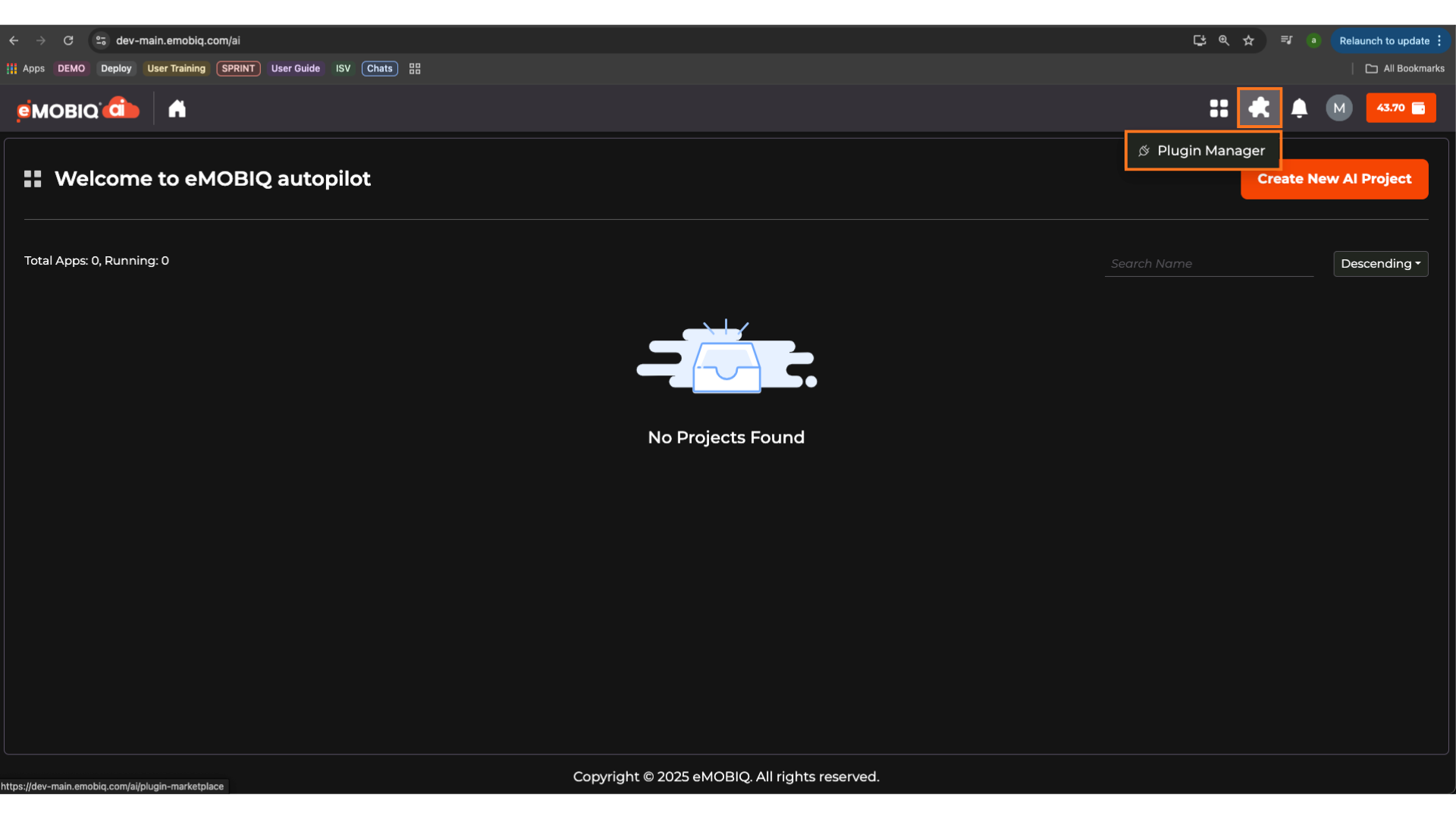
2\) In the home page
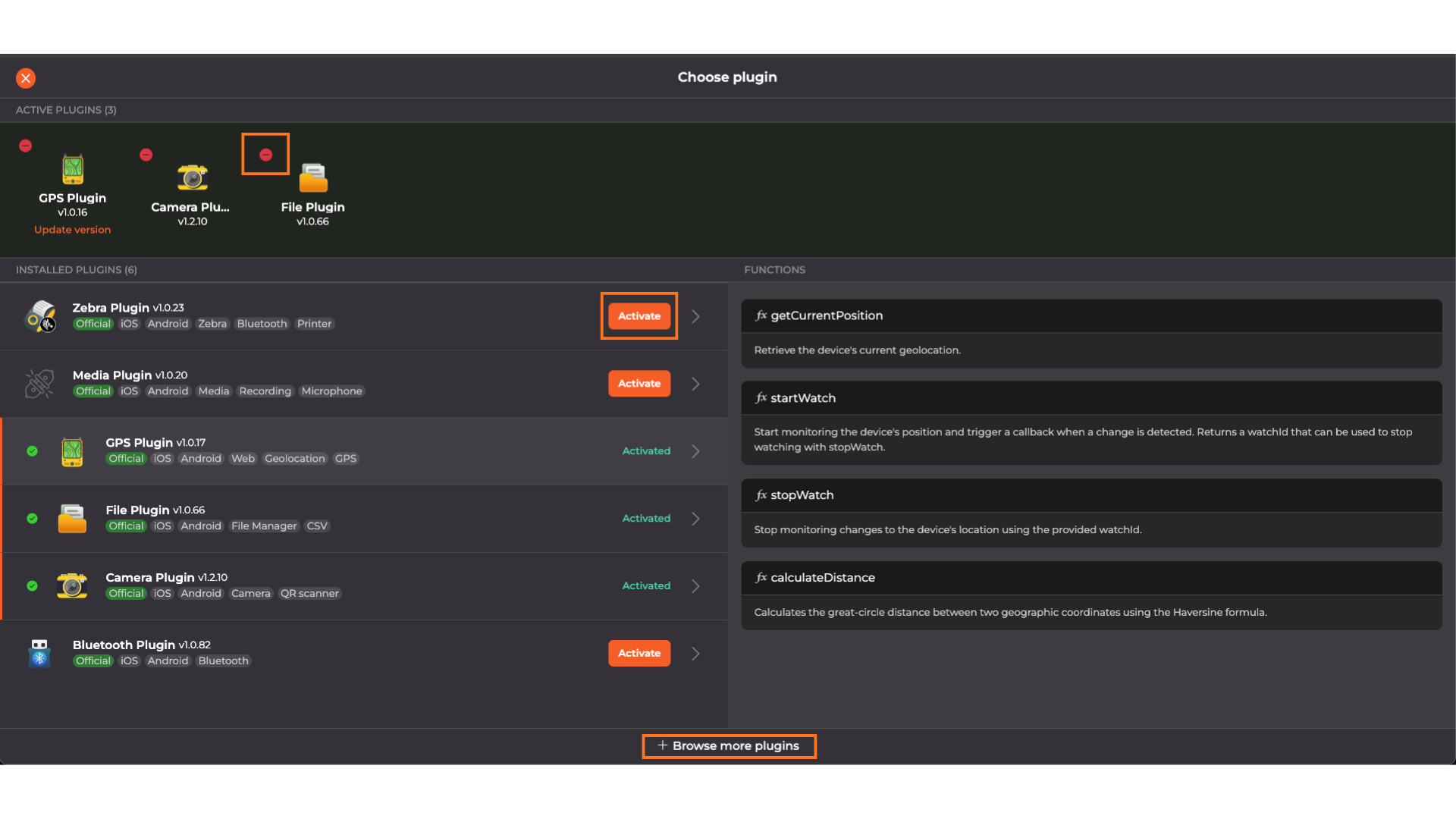
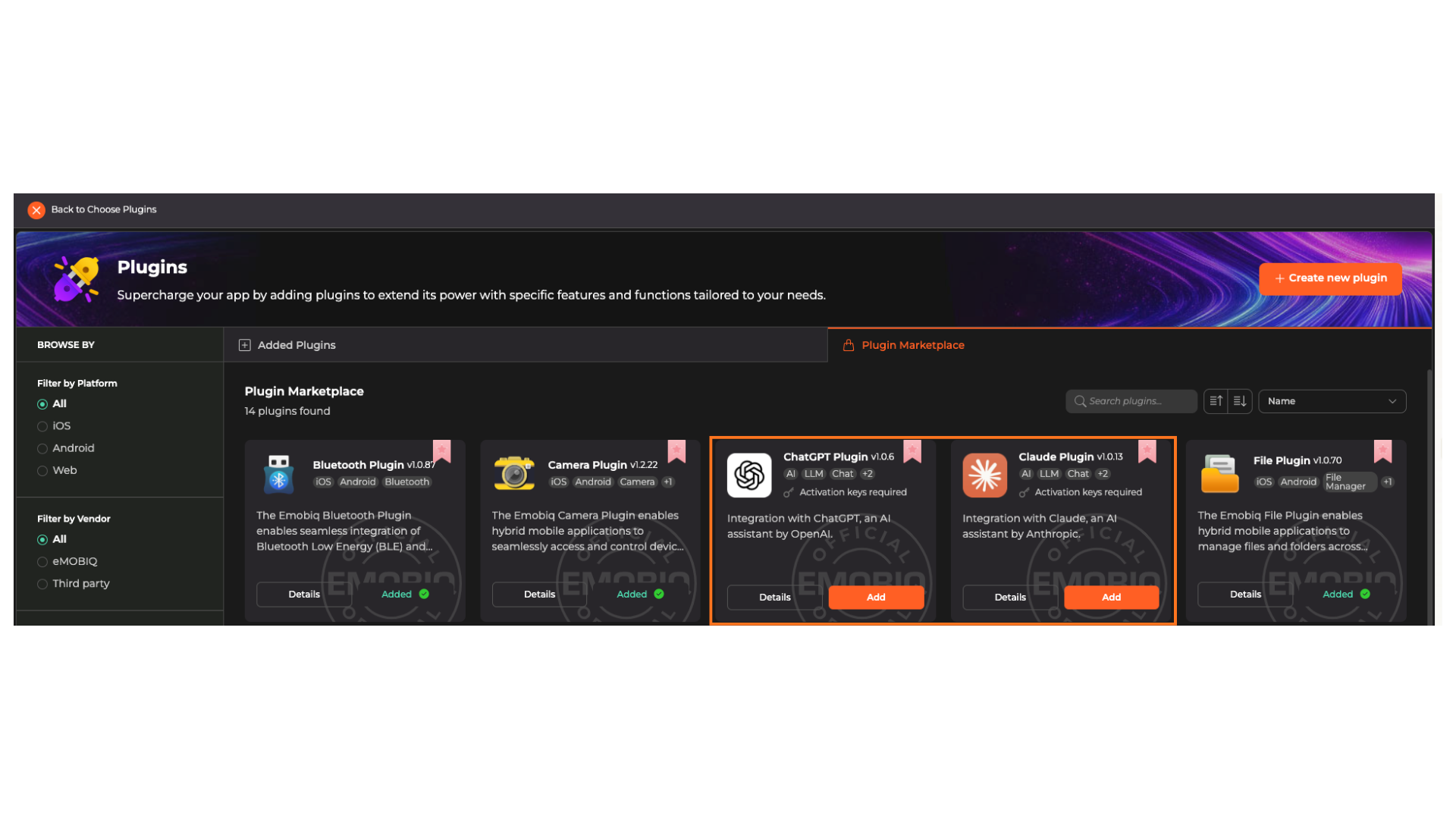
By clicking the Plugin button from the home page, you will be directed to the plug in page where you can browse various plugins to add to your plug to your account to be activated in your project.
In this page you will be able to change the plugin's that are displayed OR activate/deactivate plugins for future projects.
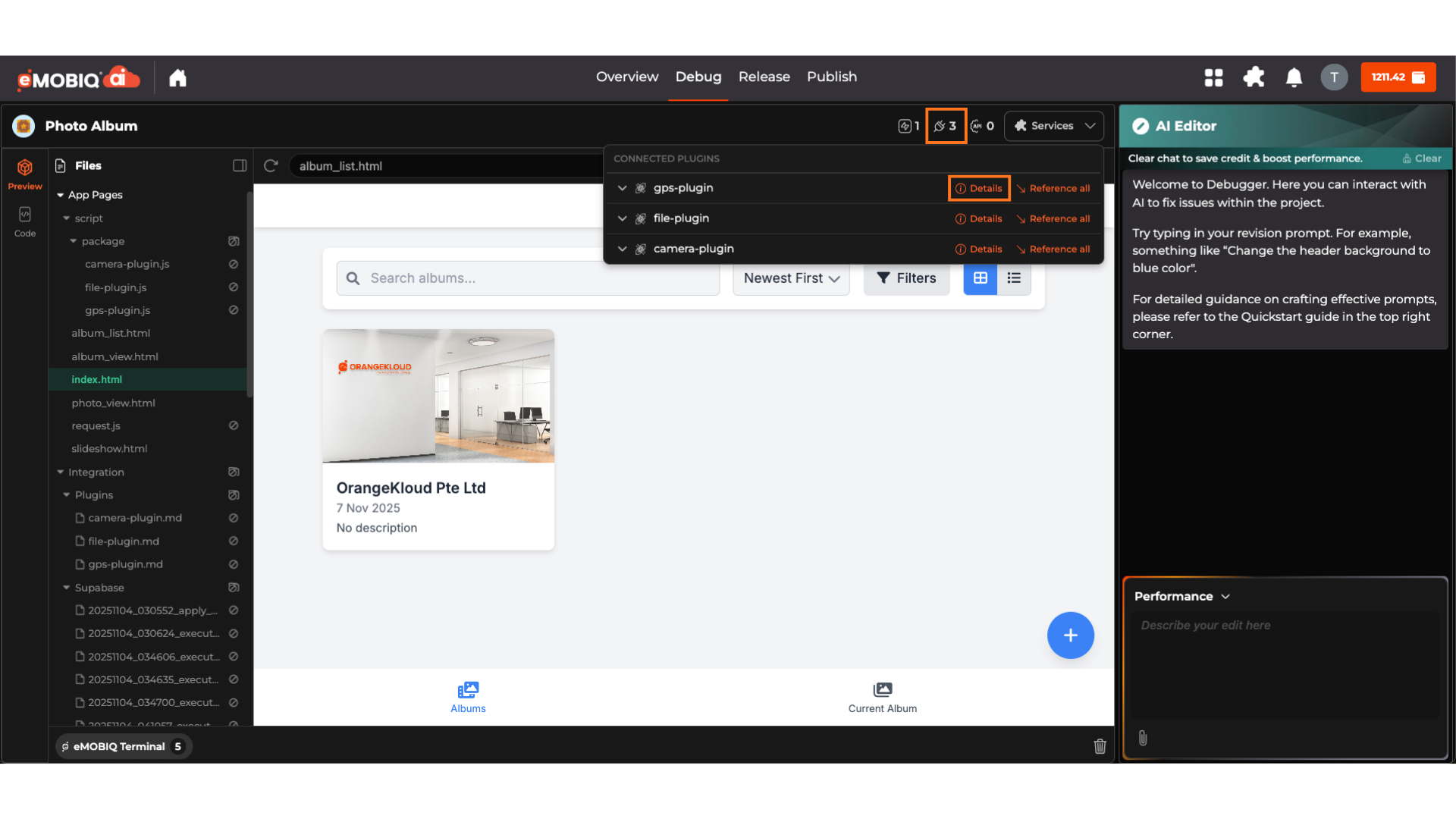
3\) In Debug Agent
Clicking the Plugin icon followed by Details you can navigate to plugins page to activate or disable the plugins.
{% stepper %}
{% step %}
#### Step 1: Tell the AI About Your Plugin
After adding a plugin, you must inform the AI:
```
Prompt Example:
“I’ve added the Camera Plugin. When the user taps ‘Take Photo’, use the Camera Plugin to capture an image and display it.”
```
The AI will now generate code that calls the plugin’s functions.
{% endstep %}
{% step %}
**Step 2: Reference the Plugin in Your Prompt (Optional but Powerful)**
You can reference specific functions directly:
```
Advanced Prompt Example:
“Use the File Plugin’s writeFile function to save the captured photo as ‘user-photo.jpg’ in the app’s internal storage.”
```
This gives you fine-grained control over how the plugin is use.
{% endstep %}
{% endstepper %}
***
### AI Plugins
To use AI-powered features, you'll need to provide your own API key from your chosen AI provider.
#### OpenAI
1. Go to [platform.openai.com](https://platform.openai.com)
2. Sign in or create an account
3. Click your profile icon → **API keys**
4. Click **Create new secret key**
5. Copy the key — you won't be able to see it again
> ⚠️ Keep your API key private. Never share it or commit it to version control.
***
#### Anthropic (Claude)
1. Go to [console.anthropic.com](https://console.anthropic.com)
2. Sign in or create an account
3. Navigate to **API Keys** in the left sidebar
4. Click **Create Key**
5. Copy the key — it won't be shown again
> ⚠️ Keep your API key private. Never share it or commit it to version control.
Once you have your key, paste it into the **API Key Field.**
***
### FAQ
**Q: Do I need to know how plugins work?**\
A: Nope! Just tell the AI what you want. It knows how to use every plugin.
**Q: Will my app work on real phones?**\
A: Yes! Plugins generate native code for iOS, Android, and Web.
**Q: How many plugins can I use?**\
A: As many as you need. Mix and match to build powerful apps.
**Q: What if I don't know which plugin to use?**\
A: Just describe your feature in plain English. The AI will recommend the right plugins.
.png?alt=media)
.png?alt=media)