> For the complete documentation index, see [llms.txt](https://docs.emobiq.com/llms.txt). Markdown versions of documentation pages are available by appending `.md` to page URLs; this page is available as [Markdown](https://docs.emobiq.com/emobiq-ai/readme/supabase/anonymous-sign-ins.md).
# Anonymous Sign-Ins
#### Empower Your Users with Seamless Anonymous Authentication
Transform your application's user experience with **Supabase Anonymous Sign-Ins**, the powerful authentication method that lets users explore your app without barriers. Enable authenticated experiences without requiring email addresses, passwords, or any personal information upfront!
Anonymous Sign-In Documentation
#### Getting Started: Enable Anonymous Sign-Ins in Three Easy Steps!
{% stepper %}
{% step %}
**Access Your Supabase Dashboard**
Navigate to your Supabase project dashboard to begin configuration.
*Your Supabase Dashboard - Select your project to get started*
1. Log in to
2. Select your project from the project list
{% endstep %}
{% step %}
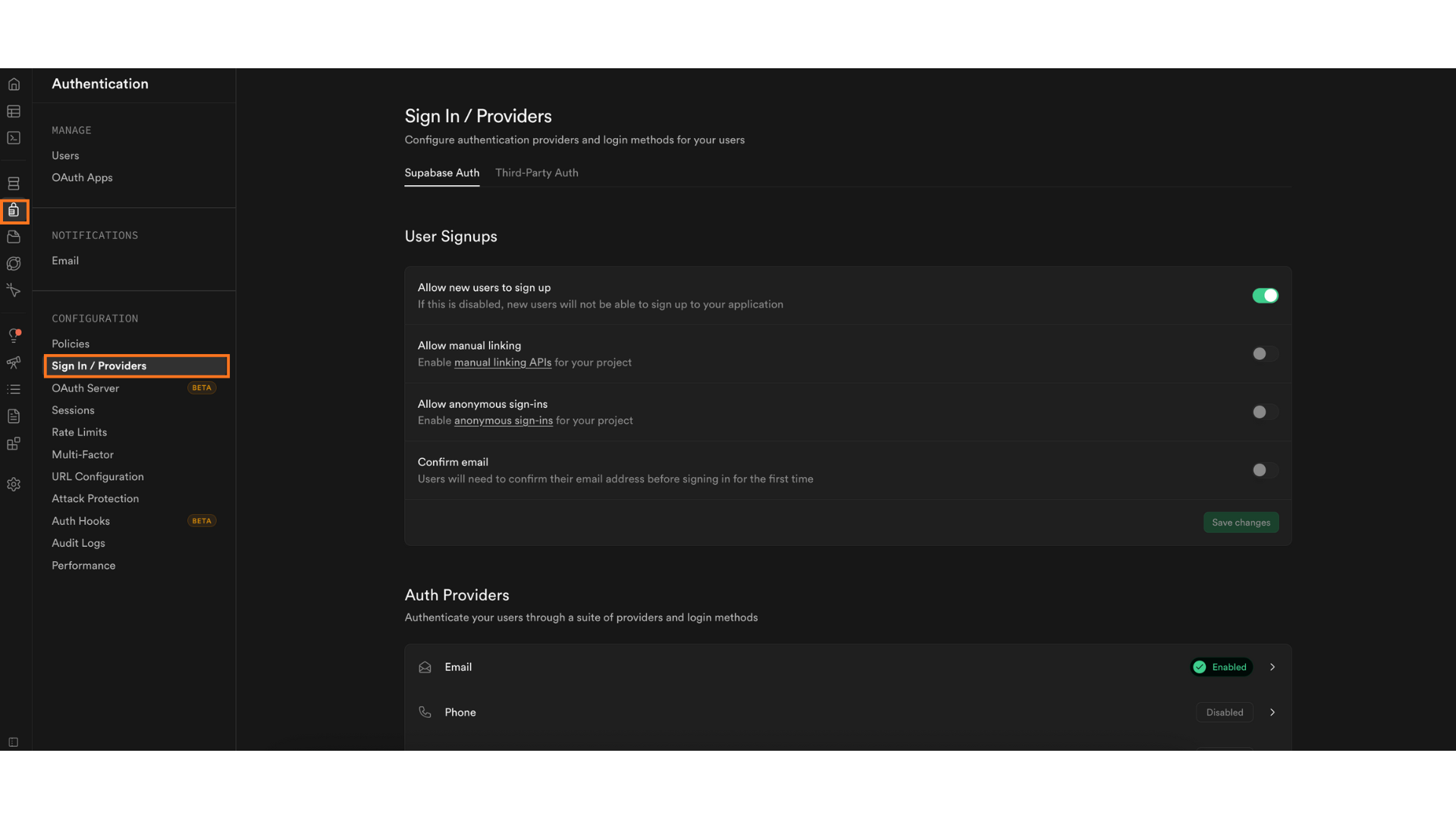
**Navigate to Authentication Settings**
Configure your authentication providers with just a few clicks.
* Click on **"Authentication"** in the left sidebar
* Select **"Providers"** from the authentication menu
The Providers page displays all available authentication methods
{% endstep %}
{% step %}
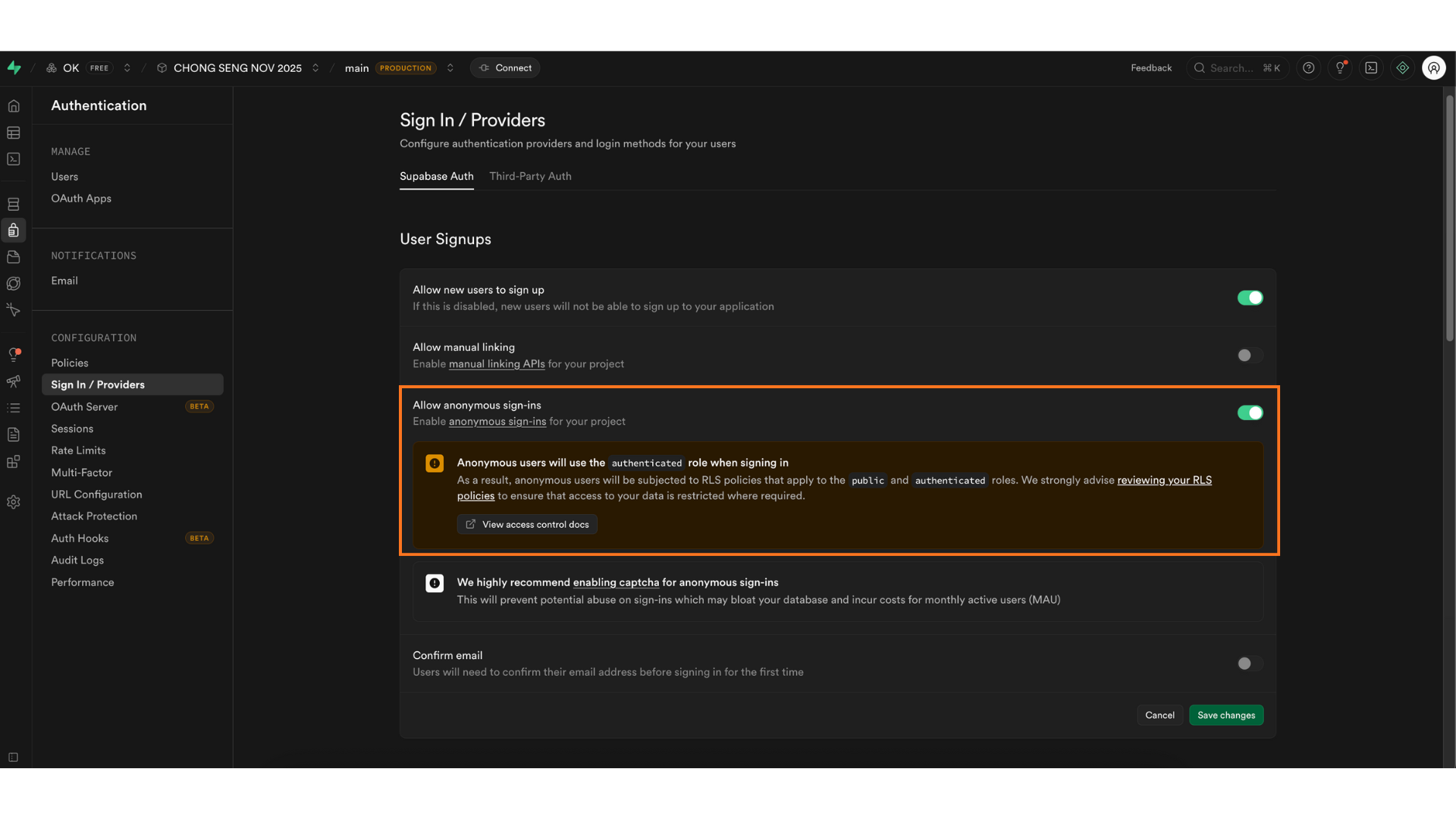
**Enable Anonymous Sign-Ins**
Activate the anonymous sign-in feature with a simple toggle.
Toggle the switch to enable it
Click **Save Changes** to apply the changes.
{% endstep %}
{% endstepper %}
***
{% hint style="info" %}
Anonymous sign-ins don't require email verification, so no redirect URL setup is needed. If you are using **email/password login or magic links**, make sure to also configure your authentication URLs so verification emails redirect correctly.
[Configuring Authentication URLs](/emobiq-ai/readme/supabase/configuring-authentication-urls.md)
{% endhint %}
.png?alt=media)